Migration planning · Process discovery
Template rollout: what changes for an AP lead, answered from the context engine
Full walkthroughWatch

Meera, the project manager, spends her day checking what a finished task unblocked and chasing who's next. With Adri and the Relay plugin, the moment a task is done, the people waiting on it hear about it on Microsoft Teams or email.
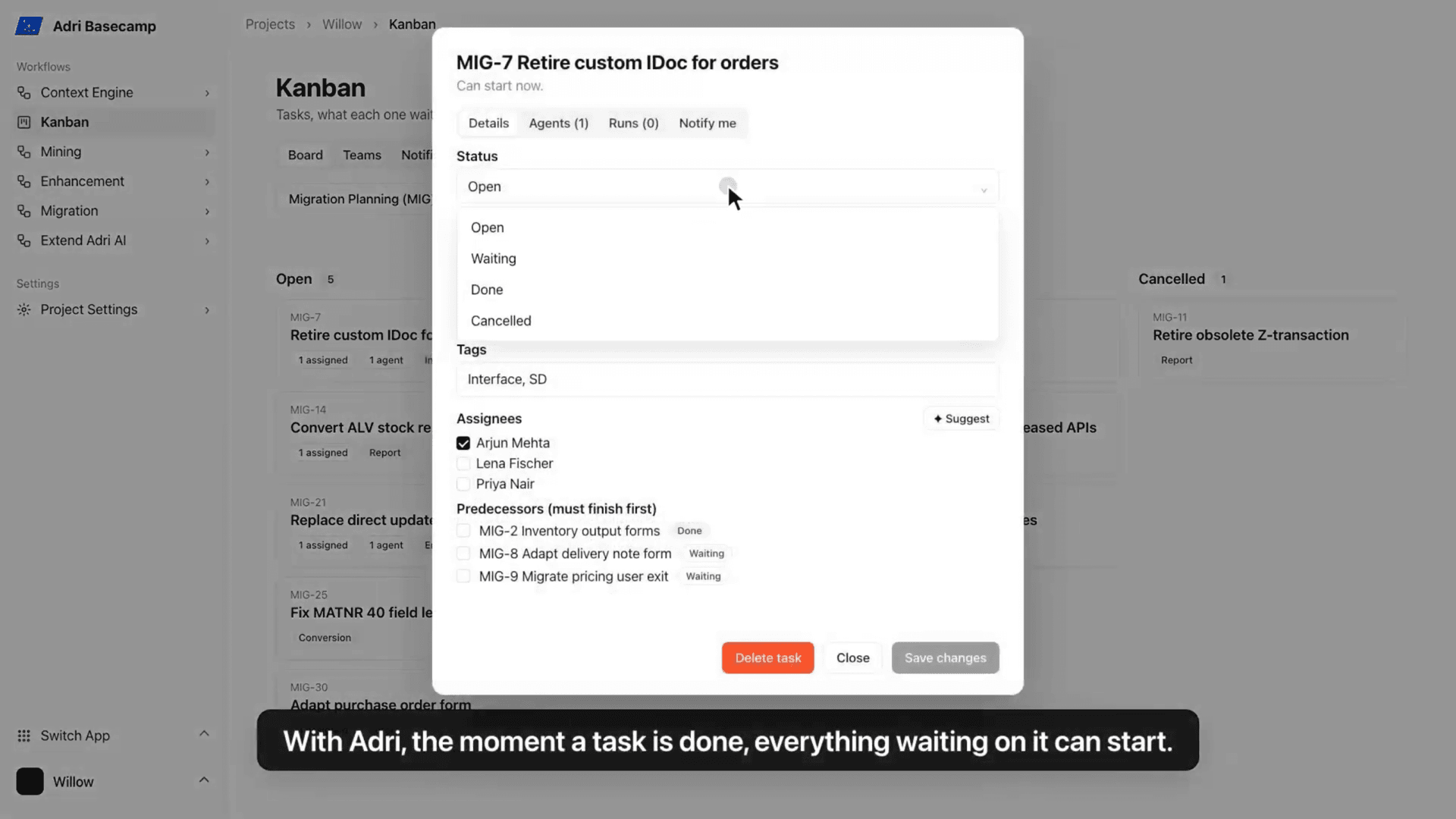
A forty-second story about the hours a project manager loses every day to chasing who's next, and the Relay plugin that takes it off her plate.
The problem
Meera, the project manager on an S/4HANA migration, is the traffic controller. A task finishes, she checks what it unblocked, and she chases whoever is next. MIG-7, retire the custom IDoc for orders, is done, so she tells Lena that MIG-8 can start, and Lena asks which one MIG-8 was again. By half past eleven her follow-up count is at fourteen, and the work that actually needs her, the CF memory quota review and the go-live risk review, slips to tomorrow.
What you'll see
Why it matters
The dependencies between tasks are already on the board, so the board can act on them. Relay turns "this task is done" into "your task can start" for the person who needs to hear it, on the channel they already use. Nobody has to remember who is waiting on what. The PM gets the day back.
0:01 Every day, your PM plays traffic controller.
0:04 A task finishes. Check what it unblocked. Chase who's next.
0:10 Again. And again.
0:14 Meanwhile, the real problems wait.
0:20 With Adri, the moment a task is done, everything waiting on it can start.
0:27 Relay, a companion plugin, tells the right people on the channel they use: Microsoft Teams or email.
0:34 Your rules decide who hears it, and where.
0:36 Your PM gets the day back.
0:40 Let Adri handle the mundane, so your PM can focus on what's real.
Walk through the same workflow against your landscape in a 30-minute demo.
We would love to help you in making your SAP project a success!