Custom code · S/4HANA migration
Context That Stays — Smarter SAP Analysis Across Sessions
Full walkthroughWatch

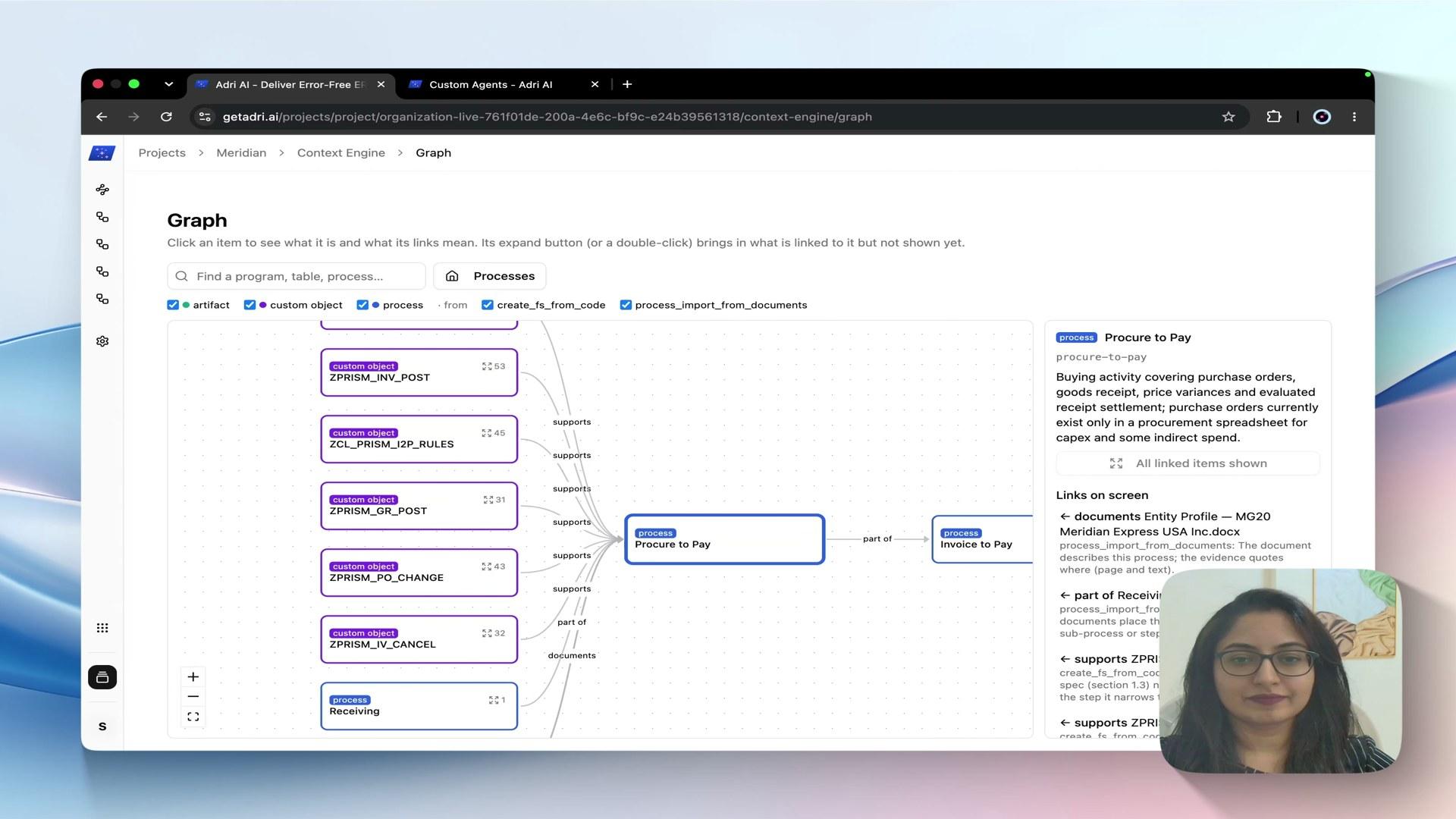
A tour of the context engine on a connected S/4HANA sandbox: isolate procure-to-pay, see the six custom objects and the sub-process that support it, and hand that context to an agent.
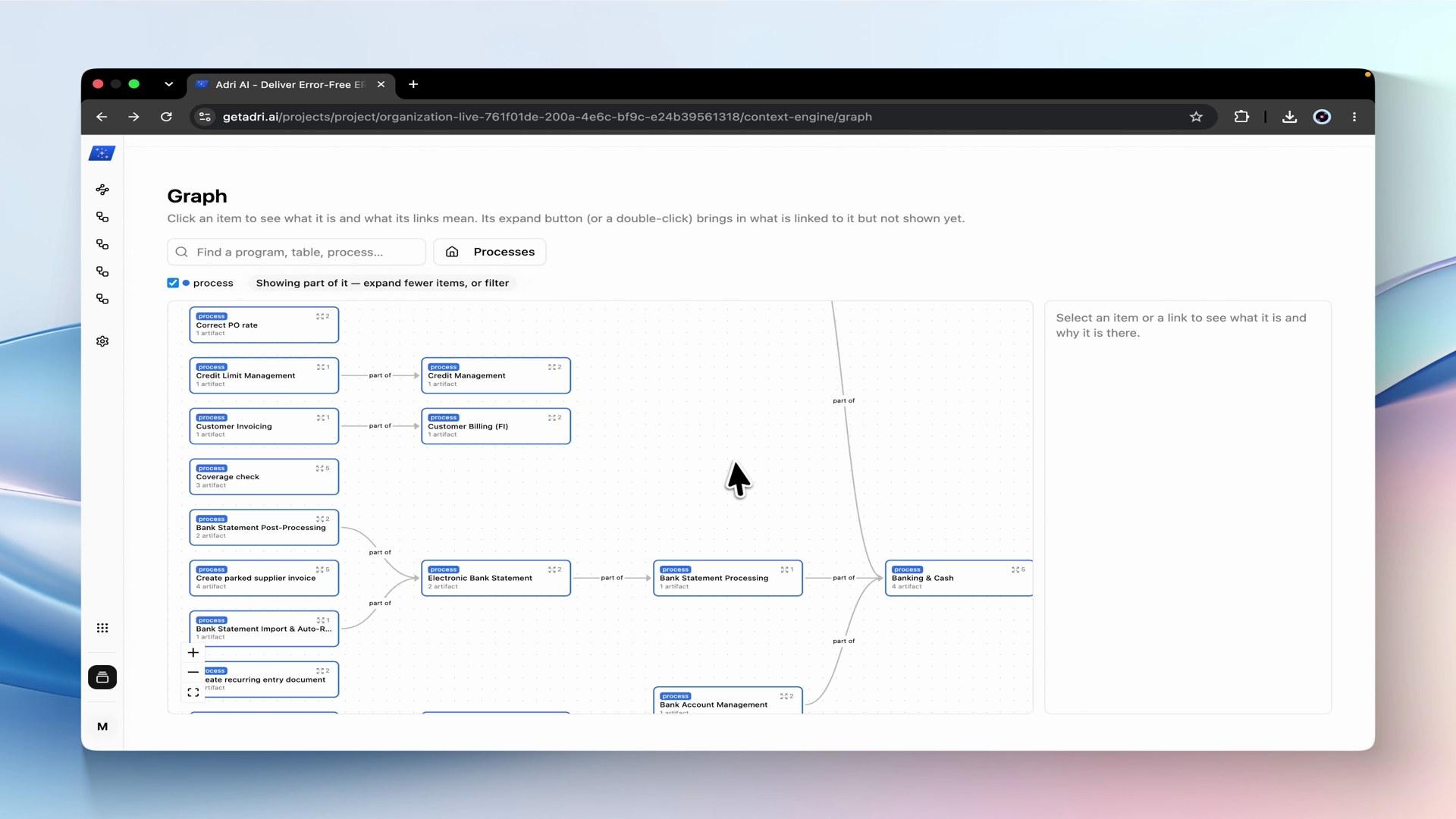
The context engine maps the business processes in your SAP landscape to the custom code and active configuration that supports them. This walkthrough shows it on a connected S/4HANA sandbox.
What you'll see
Why it matters for agents
Agents working on custom code development or SPRO configuration can look up the relevant business process and the objects and settings that support it. That gives an agent context specific to your SAP system to guide its work, instead of generic SAP knowledge. The next walkthrough shows an agent using this context during a template rollout.
0:01 Everyone, today I'll show you how Adri AI maps the business processes in your SAP landscape to the custom code and active configuration that supports them.
0:13 So this is the context engine for my connected S/4HANA sandbox. Here you can see all the processes in this sandbox.
0:25 So now let me look at one process. Let's isolate procure-to-pay.
0:35 So now we can see six custom code objects linked to this process, along with a sub-process, Receiving.
0:45 So if I want to understand how procurement works in the system, I can start with the business process and find all the associated custom code and configuration behind it.
1:00 Now it becomes even more interesting when you are using agents. So agents can use this context too. If you are using an agent for custom code development or SPRO configuration, they can look up the relevant business process and the associated custom code and configuration that support them. This gives the agent context that is specific to your SAP system to guide its work.
1:31 In the next video, I'll show you how Adri agents built this context engine. Thank you.
Walk through the same workflow against your landscape in a 30-minute demo.
We would love to help you in making your SAP project a success!